
Viewing your Campaign Dashboard
You can track the progress of your campaign through your campaign dashboard. To view this, follow the steps below!
- Go to Categories > Campaigns
- Click on the line with the campaign name
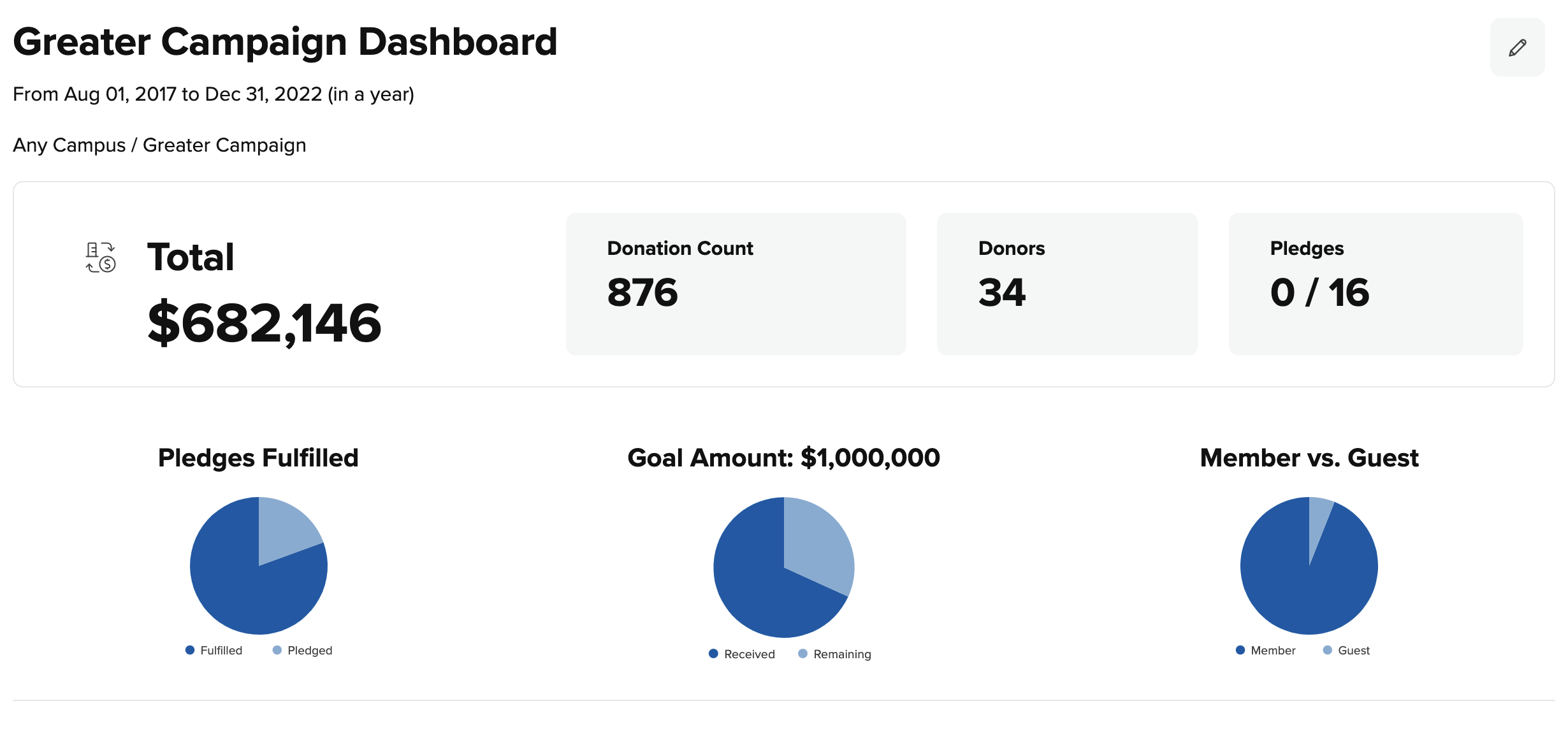
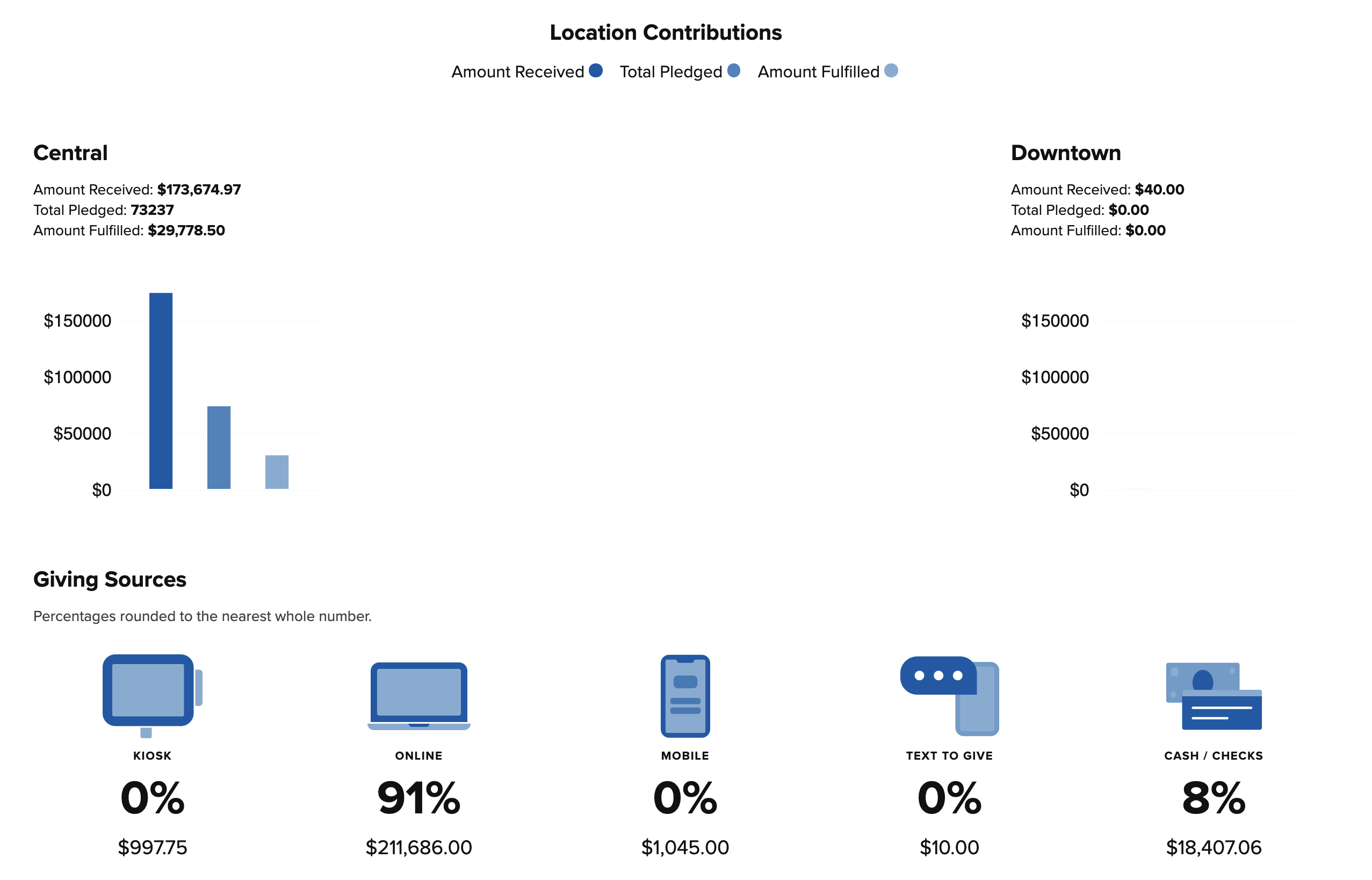
*Hover over the charts to see additional details of the amounts
Was this article helpful?1 out of 1 found this helpful